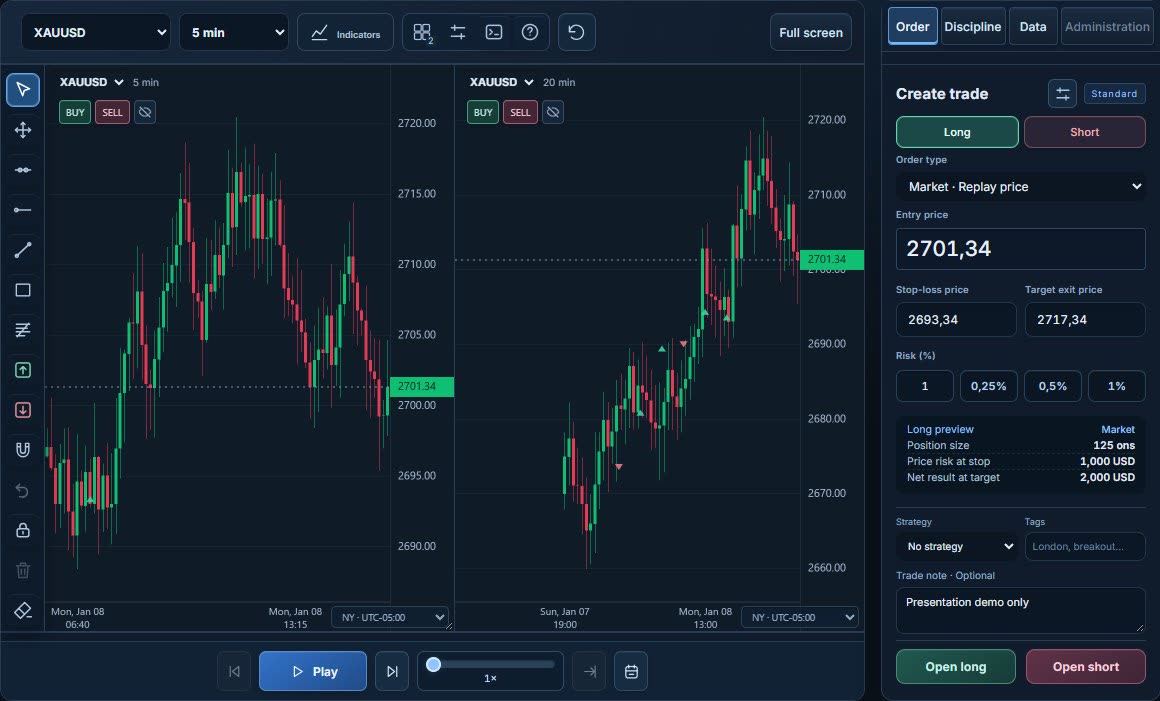
Plan
Decide before the candle.
Mark entry, stop and target on the chart, and don’t open the next candle until the plan is set.
- Entry, stop and target in one panel
- Risk and cost calculated up front
 tickrivo
Choose a market, follow your plan and review the session. Use these three steps for your first test.
Pick the market and period, and write down your entry rule before the session starts.
Set entry, stop and target, and only then move to the next candle.
At the end, review the result, your plan adherence and the costs together.
CORE FEATURES
Every screen feeds the same session: plan, record, review, rehearse.
Plan
Mark entry, stop and target on the chart, and don’t open the next candle until the plan is set.
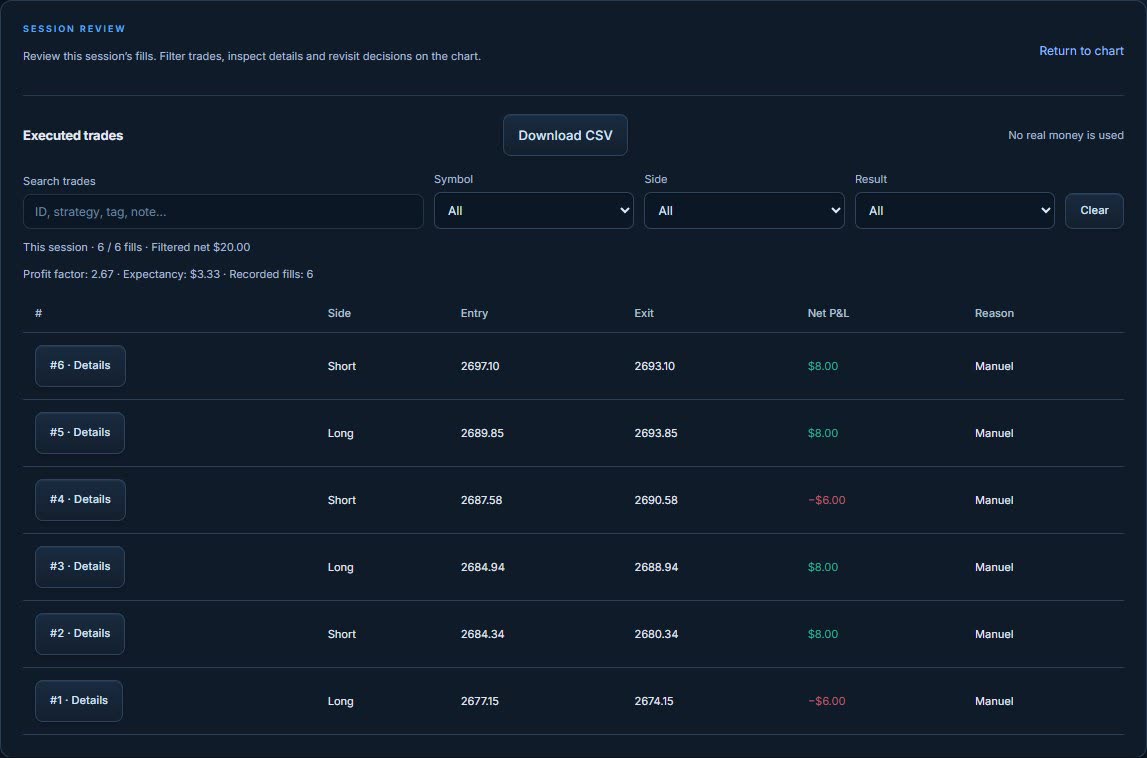
Journal
Every trade lands in the journal with its reason, result and cost, so you never have to remember it later.
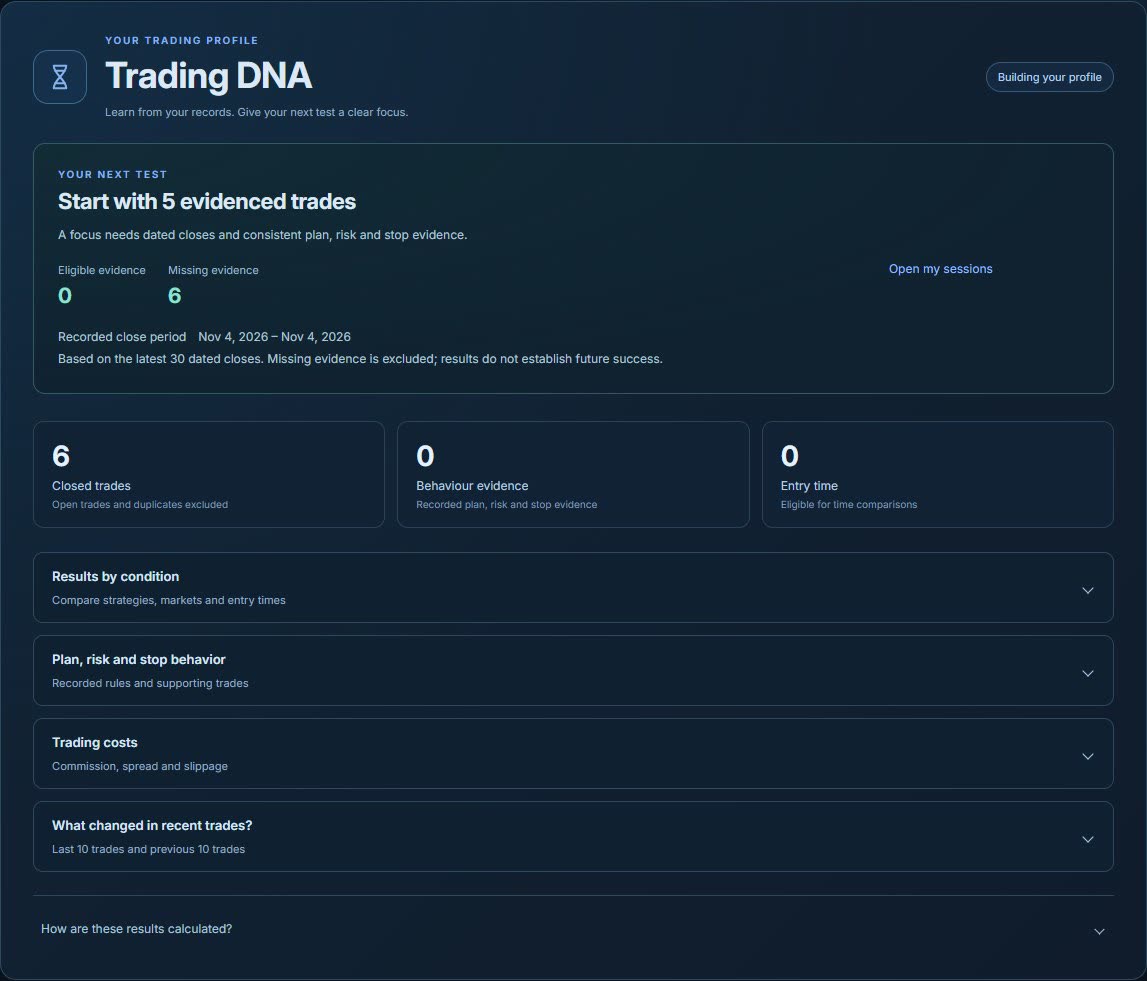
RivoScope
RivoScope measures plan adherence and stop behavior from your records. It shows evidence, not opinions.
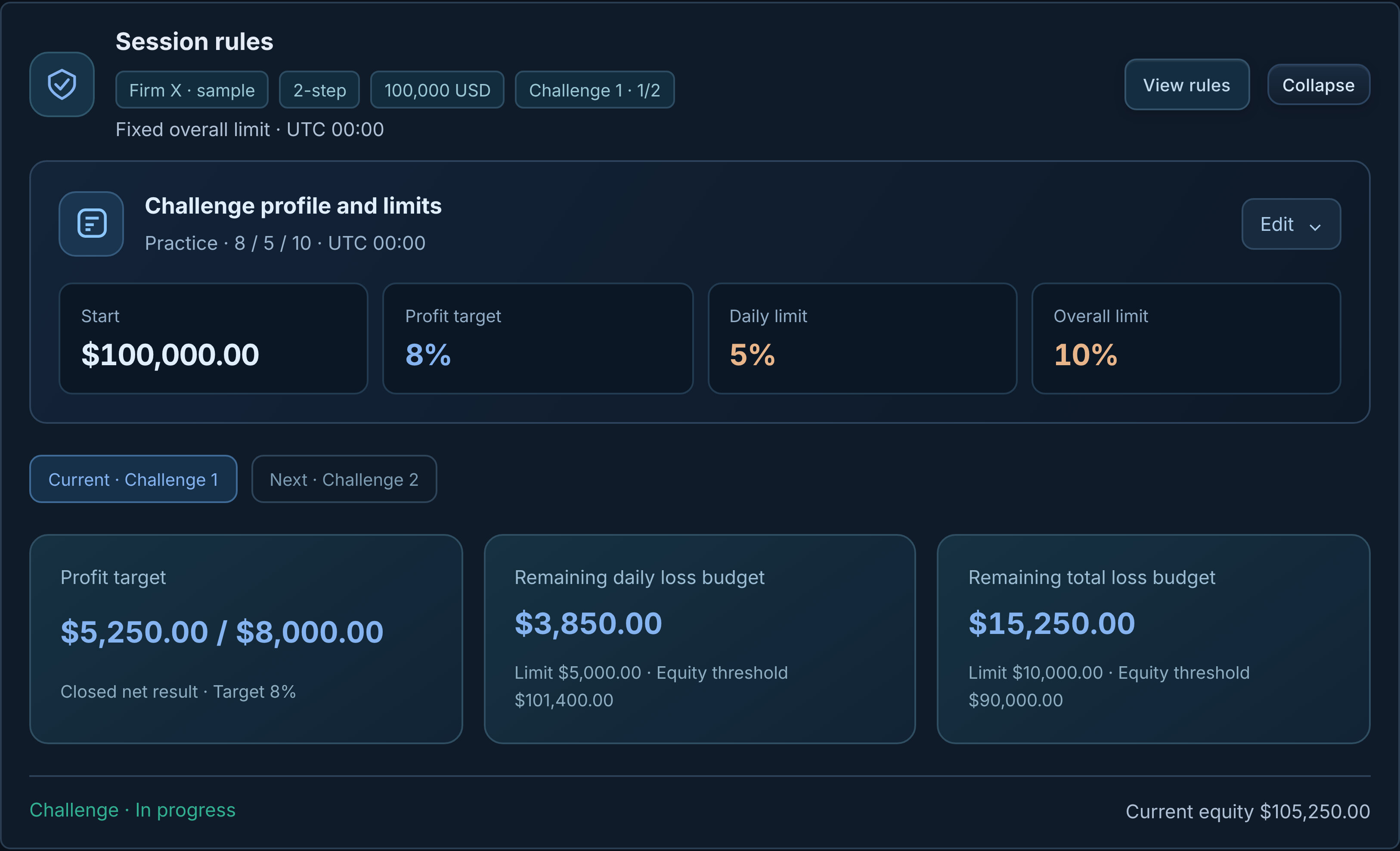
Challenge
The challenge simulation applies daily loss, max loss and target rules inside a normal replay session.
Start with the reasons in your journal and compare them with the results. Then check R and drawdown periods in Performance, and plan adherence in RivoScope. One session proves nothing about a strategy, so run the same rule over several sessions and compare.
Practical guides to your first backtest, trading journal and challenge practice.
No. In Tickrivo you step through historical candles and make the entry and risk decisions yourself. That manual replay workflow is different from running a coded strategy automatically over a full historical dataset.
Pick one clear practice question, such as whether you actually follow a specific entry rule. Choose a market and period, prepare an entry/stop/target plan and record your decisions. When the test ends, go back to the question and your records.
Yes. The simulation applies your commission, spread and slippage assumptions. Keep the cost, data and fill assumptions in mind when you read a result; real liquidity and every tick are not modeled.
Yes. Sessions and trades are saved to your account, so you can reopen a finished test in your journal and analytics. Deleted records may not be recoverable.
Pick a market, set a rule and decide before the next candle. Then review what you learned.
Sign up with Google or email. No real orders are placed.
Set up your first session